

How to view the details of a point of interest from the map?
From the map, you can open the detailed sheet of a point of interest.
This panel appears on the left and allows you to view the location's information without leaving the map.
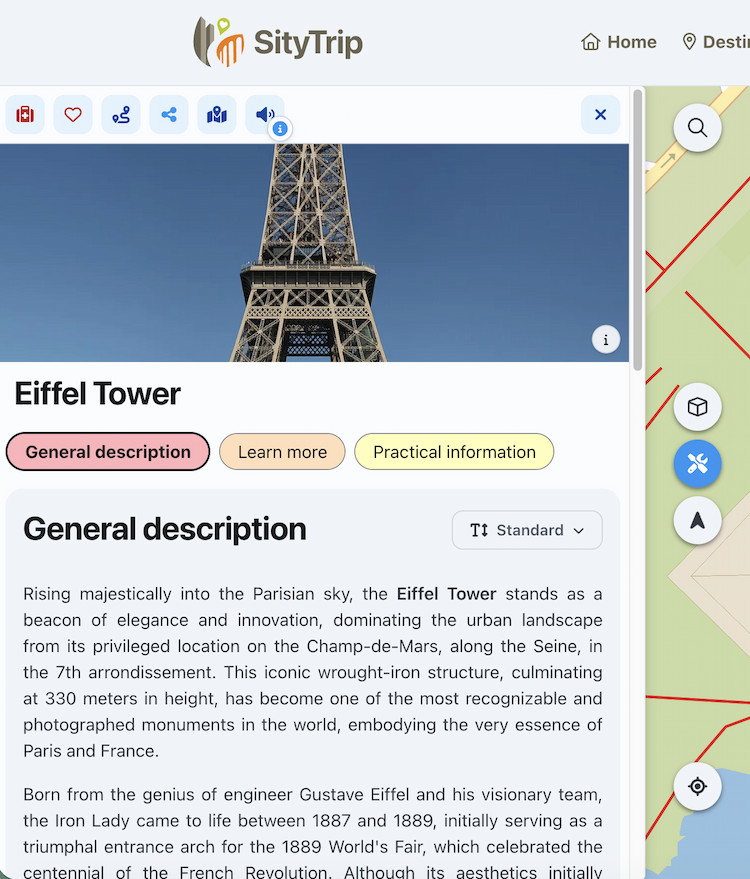
Open a point of interest page
To open the details, click on a point of interest on the map or in the left list.
➡️ See also: Use the list of points of interest
The sheet then appears in the left menu.
Information available in the file
The sheet contains several pieces of information, such as:
- the name of the place;
- images;
- one or more descriptions;
Depending on the location, some information may be missing or incomplete.
Available actions from the sheet
From the profile of a point of interest, you can notably:
- add the place to your trip;
- add a comment;
- request a route to this place;
- share the location;
- highlight the location on the map;
- use text-to-speech to listen to the displayed description.

➡️ See also: How to change the text-to-speech settings?