

How to create a SityTrip account?
Creating a SityTrip account is a simple, easy, and quick operation.
First, you need to visit the homepage of the SityTrip website.
Then you will need to proceed with the following steps:
1
Click on Login at the top right.

2
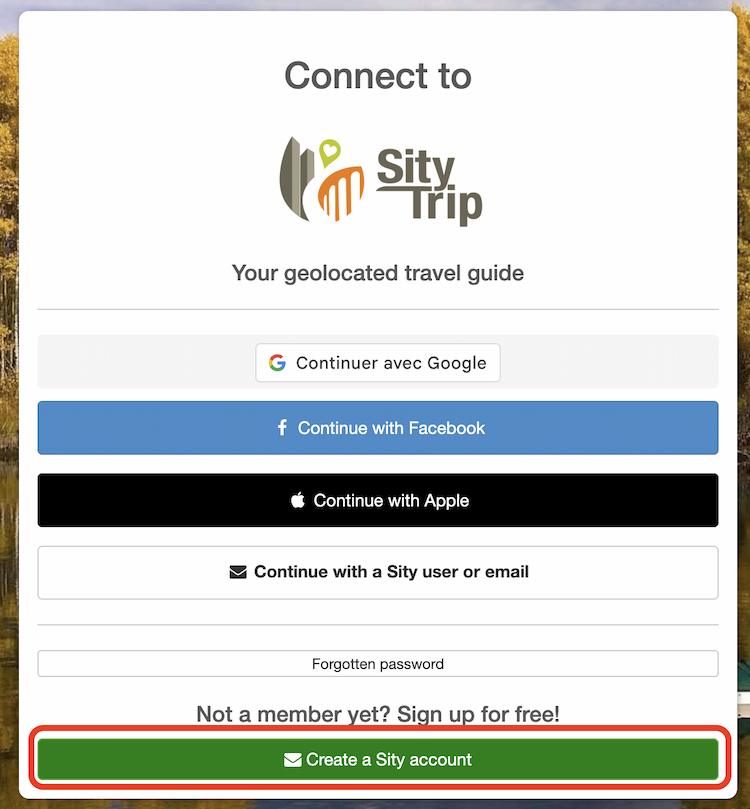
Then click on the Create a Sity account button.
3
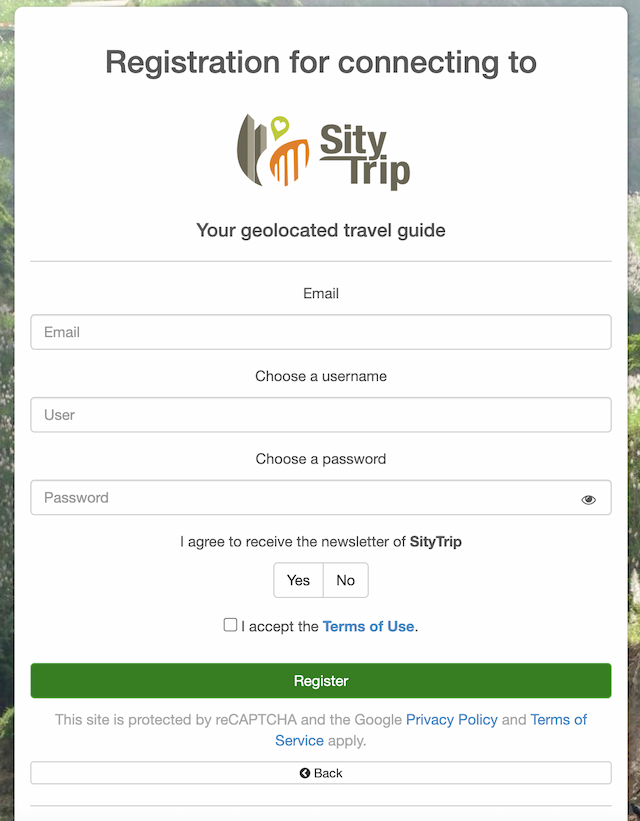
Finally, you just need to fill in the requested fields: your email, your password, your username, etc.
Congratulations, you are now a SityTrip customer. Welcome.